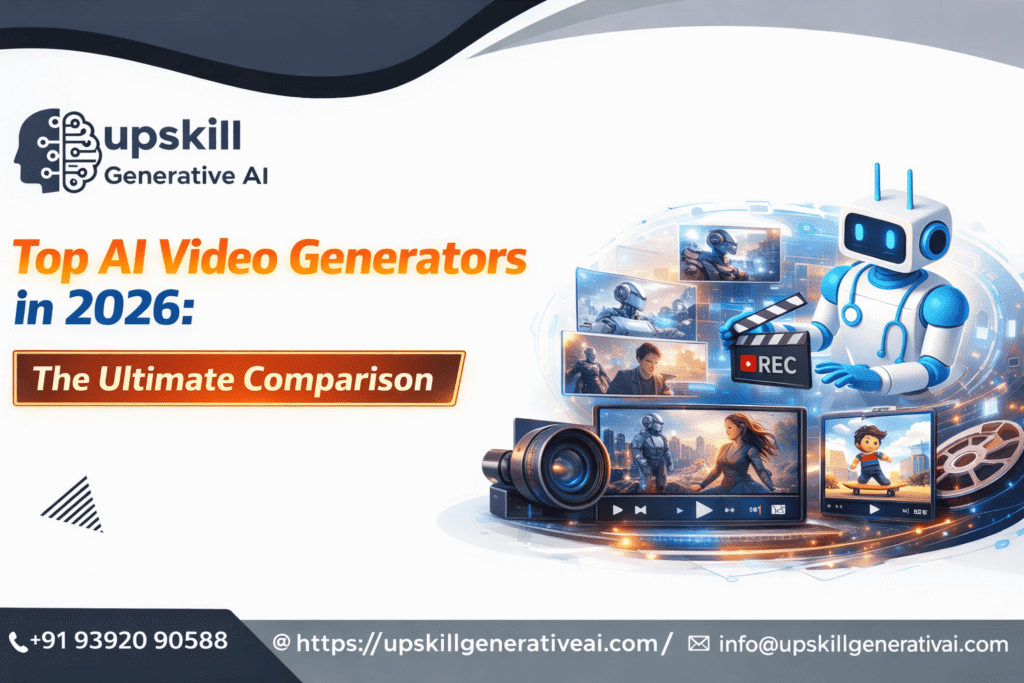
Top AI Video Generators in 2026: The Ultimate Comparison
What Are AI Video Generators?
AI video generators are advanced software tools that use artificial intelligence and machine learning to automatically create videos from simple inputs such as text, scripts, images, audio, or prompts. Instead of manually shooting footage or spending hours editing, users can generate professional-quality videos in minutes with minimal effort.
These tools analyze your input and intelligently convert it into a complete video by combining visual scenes, animations, transitions, AI-generated characters, voiceovers, music, and effects. This makes video creation accessible even to people with no prior video editing experience.
In simple terms, AI video generators replace complex video production workflows with automation, allowing anyone to create engaging videos quickly and cost-effectively.
How AI Video Generators Differ From Traditional Video Tools
Traditional video creation requires:
- Cameras and recording equipment
- Skilled editors
- Expensive software
- Significant time and effort
AI video generators eliminate most of these requirements by:
- Automatically selecting visuals
- Generating realistic AI voices
- Creating scenes from text
- Handling transitions and formatting
This shift has transformed video creation from a technical skill into a creative process.
What Can AI Video Generators Create?
AI video generators can produce a wide range of video content, including:
- YouTube videos
- Social media reels and shorts
- Marketing and ad videos
- Explainer videos
- Online course and training videos
- Corporate presentations
- Faceless content for creators
Many tools also support AI avatars, allowing users to create human-like presenters without hiring actors or recording themselves.
AI video generators typically rely on:
- Natural Language Processing (NLP) to understand text and scripts
- Computer Vision to generate visuals and animations
- Text-to-Speech (TTS) for realistic AI voiceovers
- Generative AI models to create scenes and motion
These technologies work together to produce videos that look polished and professional.
The popularity of AI video generators is growing rapidly because they:
- Save time and money
- Reduce production complexity
- Enable faster content scaling
- Allow easy customization
- Support multiple languages and formats
For creators, businesses, and marketers, AI video generators have become a powerful alternative to traditional video production.
Why AI Video Generators Are Important in 2026
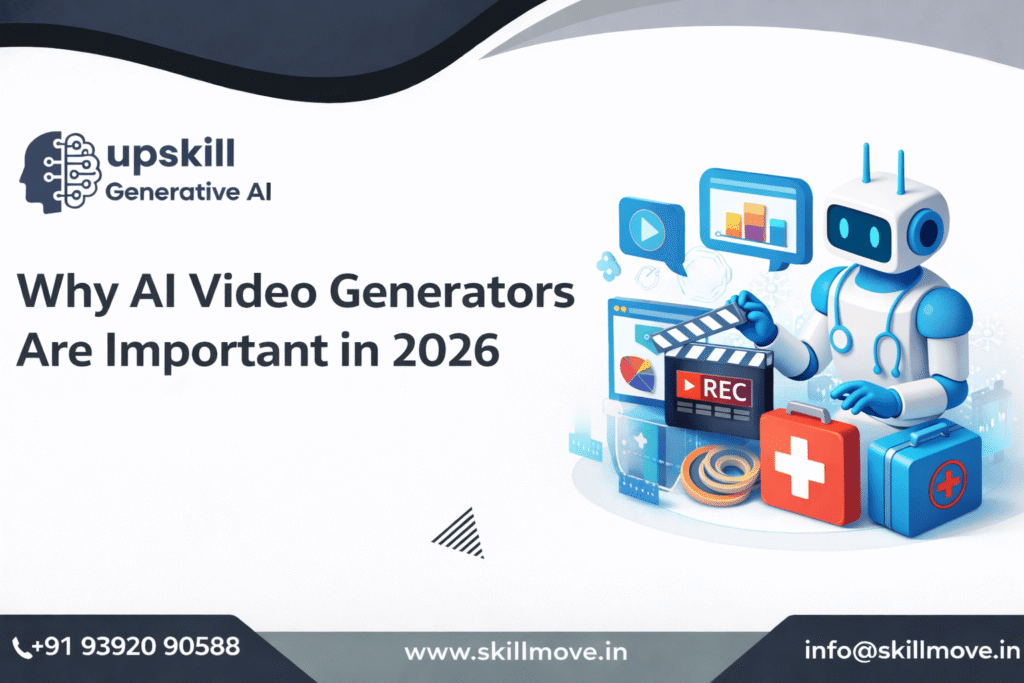
In 2026, video content is no longer optional—it is the most powerful form of digital communication. From social media and online education to advertising and internal business training, videos dominate how people consume information. AI video generators have become essential because they solve the biggest problems of traditional video creation: time, cost, and skill barriers.
1. Massive Growth in Video-First Platforms
Platforms like YouTube, Instagram Reels, TikTok, LinkedIn, and online learning portals now prioritize video content over text and images. Algorithms favor short, engaging videos, and brands that fail to publish video content regularly struggle to stay visible. AI video generators allow creators and businesses to produce videos at scale without hiring editors or studios.
2. Faster Content Creation Than Ever Before
Traditional video production can take days or even weeks—from scripting and shooting to editing and exporting. In 2026, speed matters. AI video generators can turn a script or prompt into a complete video in minutes, helping creators respond quickly to trends, campaigns, and market changes.
3. Reduced Cost for Creators and Businesses
Hiring videographers, editors, voice artists, and presenters is expensive. AI video generators significantly reduce production costs by automating these roles. This makes professional-looking videos accessible to:
- Small businesses
- Startups
- Solo creators
- Freelancers
- Educators
As a result, high-quality video creation is no longer limited to big companies with large budgets.
4. No Technical Skills Required
In 2026, many people want to create videos but don’t have editing skills or software knowledge. AI video generators remove this barrier completely. Anyone can create videos using:
- Text prompts
- Blog posts
- Scripts
- Slides or outlines
This democratization of video creation empowers beginners and non-technical users to compete with professionals.
5. AI-Powered Personalization at Scale
Modern marketing relies on personalization. AI video generators make it possible to create personalized videos for different audiences, languages, and regions without manual effort. Businesses can generate hundreds of customized videos for ads, training, onboarding, or sales outreach—something impossible with traditional editing workflows.
6. Rising Demand for Faceless & Avatar-Based Content
Not everyone wants to appear on camera. In 2026, faceless content, AI avatars, and virtual presenters are widely accepted across platforms. AI video generators allow creators to build authority and engagement without showing their face, which is especially useful for:
- Introverts
- Educators
- Corporate training teams
- Global brands
7. Competitive Advantage in Digital Marketing
Brands using AI video tools can test more creatives, launch campaigns faster, and optimize content continuously. This gives them a strong competitive edge over businesses still relying on slow, manual video production methods.
8. Integration With AI Workflows
AI video generators now integrate with AI writing tools, marketing platforms, CRMs, and analytics systems. This creates a seamless workflow where ideas, scripts, videos, and performance tracking are connected—making AI video a core part of modern digital ecosystems.
9. Preparing for the Future of Content Creation
As AI continues to evolve toward real-time video generation and cinematic-quality outputs, learning and using AI video generators in 2026 is not just an advantage—it’s a necessity. Early adopters will be better positioned to adapt to future changes in content creation and digital communication.
Who Should Use AI Video Generators?
AI video generators are designed to help anyone create professional-quality videos without advanced editing skills. Whether you’re an individual creator or a large organization, these tools adapt to different goals, budgets, and skill levels.
Content Creators & YouTubers
AI video generators are ideal for creators who want to publish videos faster and more consistently. You can:
- Convert scripts or blog posts into videos within minutes
- Create faceless videos using AI voiceovers and visuals
- Produce intros, explainer videos, and short-form content for YouTube Shorts
This is especially helpful for creators who want to scale content without hiring editors.
Digital Marketers & Marketing Agencies
Marketing teams use AI video generators to launch campaigns quickly and test multiple creatives. They are perfect for:
- Social media ads (Instagram, Facebook, YouTube, LinkedIn)
- Product explainer videos
- Promo videos and brand storytelling
AI tools reduce production costs while allowing agencies to deliver videos to multiple clients efficiently.
Business Owners & Startups
Small businesses and startups often lack time and budget for professional video production. AI video generators help by:
- Creating product demos and promotional videos
- Building brand awareness with minimal resources
- Producing website and landing-page videos
This allows businesses to stay competitive without expensive video teams.
Trainers, Coaches & Educators
AI video generators are widely used in online education and corporate training. They enable:
- Course creation without cameras or studios
- AI avatar-based presentations
- Training videos in multiple languages
Educators can update lessons instantly without re-recording entire videos.
Social Media Managers
For social media professionals, speed and volume matter. AI video generators make it easy to:
- Repurpose blogs, tweets, and podcasts into videos
- Create reels, shorts, and story content daily
- Maintain consistent branding across platforms
This helps boost engagement while saving hours of editing time.
Corporate Teams & Enterprises
Large organizations use AI video generators for internal and external communication, including:
- HR onboarding videos
- Company announcements
- Compliance and training content
AI avatars ensure consistency and professionalism across all videos.
Non-Native English Speakers & Global Creators
AI video generators support multiple languages and AI voiceovers, making them ideal for:
- Creating videos in regional or global languages
- Avoiding on-camera speaking anxiety
- Expanding content reach internationally
This opens opportunities for creators worldwide.
Beginners With No Video Editing Experience
AI video generators are beginner-friendly and require zero technical knowledge. Beginners can:
- Create videos using simple text prompts
- Use ready-made templates and styles
- Learn video creation while producing real content
This makes AI video tools a great starting point for anyone entering content creation.
Freelancers & Solopreneurs
Freelancers can use AI video generators to:
- Offer video services without advanced tools
- Deliver projects faster to clients
- Increase income by adding video to their service list
AI helps freelancers scale without increasing workload.
Anyone Who Wants Faster Video Production
Ultimately, AI video generators are perfect for anyone who:
- Wants faster turnaround times
- Needs consistent video output
- Wants professional results without high costs
How AI Video Generators Work
- Text-to-video
- Script-to-video
- Image-to-video
- AI avatars & presenters
- Prompt-based cinematic videos
- Text-to-video
Key Features to Look for in an AI Video Generator (2026)

Choosing the right AI video generator in 2026 requires more than just flashy demos. Modern tools differ greatly in quality, flexibility, and real-world usability. Below are the most important features you should evaluate before selecting an AI video platform.
1. Video Quality & Visual Realism
High-quality output is the foundation of any AI video generator. Look for tools that produce:
- Smooth motion and natural transitions
- Realistic lighting, shadows, and textures
- Minimal artifacts, flickering, or distortions
Advanced AI video generators now support cinematic styles, realistic physics, and consistent character movement, making them suitable for professional use.
2. Text-to-Video Accuracy
A strong AI video tool should understand your prompt clearly and convert it into relevant visuals.
Key things to check:
- How accurately scenes match the script
- Ability to follow detailed prompts
- Logical scene flow without random visuals
Better text-to-video accuracy means less manual editing and faster production.
3. AI Avatars & Lip-Sync Quality
If you plan to create explainer videos, training content, or presentations, AI avatars are critical.
Look for:
- Natural facial expressions
- Accurate lip-sync with speech
- Multiple avatar styles, ethnicities, and outfits
- Support for multiple languages
High-quality avatars increase viewer trust and engagement.
4. Voiceover & Language Support
AI video generators in 2026 should offer:
- Natural-sounding AI voices
- Multiple accents and tones
- Multi-language support
- Easy voice replacement or editing
Some tools also allow voice cloning, which is useful for brand consistency.
5. Editing Flexibility & Customization
Even with AI automation, creative control matters.
Essential editing features include:
- Scene trimming and rearranging
- Text overlays and captions
- Music and sound effects control
- Branding options (logos, colors, fonts)
The best AI video generators allow you to fine-tune outputs without starting from scratch.
6. Video Formats & Export Quality
Check whether the platform supports:
- 16:9 (YouTube), 9:16 (Reels/Shorts), and 1:1 (Social feeds)
- HD, Full HD, or 4K exports
- Watermark-free downloads on paid plans
Export flexibility ensures your videos are platform-ready.
7. Speed & Rendering Time
AI video generation should save time, not waste it.
Evaluate:
- How fast videos are generated
- Queue wait times
- Stability during high-traffic hours
Faster rendering is crucial for agencies and daily content creators.
8. Ease of Use (Beginner-Friendly Interface)
A good AI video generator should not require professional editing skills.
Look for:
- Clean dashboard and intuitive controls
- Guided workflows or templates
- Minimal learning curve
Beginner-friendly tools help creators focus on ideas instead of technical complexity.
9. Pricing, Credits & Free Trials
Pricing models vary widely across platforms.
Before choosing, check:
- Monthly vs credit-based pricing
- Free trials or demo access
- Cost per video or per minute
Transparent pricing helps avoid unexpected limits and extra costs.
10. Commercial Usage & Copyright Safety
This is a critical but often ignored feature.
Make sure:
- You own the rights to generated videos
- Videos can be monetized on platforms like YouTube
- The tool provides commercial usage rights
Copyright-safe output protects your brand and income.
11. Integrations & Workflow Support
Advanced AI video generators support:
- API access
- Integration with marketing tools, CMS, or cloud storage
- Team collaboration features
These features are essential for scaling content production.
12. Future-Readiness & Model Updates
AI video technology evolves fast.
Choose platforms that:
- Regularly update AI models
- Introduce new features
- Improve realism over time
Future-ready tools protect your investment long-term.
Top AI Video Generators in 2026
Runway
Runway is considered one of the most advanced AI video generators in 2026, especially for creators who want cinematic-quality visuals rather than simple slideshow-style videos. Unlike many AI tools that rely heavily on templates, Runway focuses on creative freedom and realism.
Runway allows users to generate videos using text prompts, images, or existing video clips. Its AI models are trained to understand motion, lighting, camera angles, and depth, making the output feel more like a professionally shot video than an AI-generated clip.
Key Features (Explained)
- Text-to-video generation: Describe a scene in natural language, and Runway creates a short cinematic video.
- Image-to-video animation: Turn static images into moving scenes with realistic motion.
- AI video editing tools: Remove backgrounds, objects, or unwanted elements without green screens.
- Advanced motion consistency: Characters and objects move smoothly across frames.
- High-quality exports: Suitable for YouTube, ads, and professional portfolios.
Ideal For
- YouTube creators who want cinematic B-roll
- Filmmakers and video artists
- Designers experimenting with AI storytelling
Drawbacks
- Not beginner-friendly for non-creatives
- Requires strong prompt-writing skills
- Higher pricing compared to template-based tools
Synthesia
Synthesia is one of the most widely used AI video generators for business and corporate communication. Instead of focusing on visual effects or cinematic scenes, Synthesia specializes in AI avatars that speak your script clearly and professionally.
Users simply type text, select an avatar, choose a language, and generate a video in minutes. This eliminates the need for cameras, actors, studios, or voice-over artists.
Key Features (Explained)
- AI human avatars: Professionally designed digital presenters.
- Multi-language support: Create videos in dozens of global languages.
- Script-to-video workflow: Perfect for training and explainer content.
- Brand customization: Logos, colors, and backgrounds for businesses.
- Consistent presentation: Same avatar style across all videos.
Ideal For
- Corporate training & HR teams
- Product explainers
- Internal company communication
- E-learning platforms
Drawbacks
- Limited creativity and storytelling
- Not suitable for entertainment or cinematic videos
- Subscription cost may be high for individuals
- InVideo AI is built for speed and ease of use, enabling users to create professional-looking videos quickly using simple text prompts.
Best For
- Faceless YouTube channels
- Educational and storytelling videos
- Podcast-style video content
Drawbacks
- Limited visual customization
- Not suitable for cinematic videos
- Visual quality depends on stock assets
Colossyan
Colossyan is built specifically for learning and development teams, making it ideal for structured, instructional video content with AI presenters.
Key Features
- AI avatars for training videos
- Multi-language video creation
- Team collaboration tools
- Compliance-friendly enterprise features
Best For
- Corporate training
- HR and onboarding content
- Educational organizations
Drawbacks
- Not creator-focused
- Limited creative freedom
- Less suitable for marketing or entertainment videos

Feature Comparison Table
The feature comparison table below gives a side-by-side overview of the leading AI video generators in 2026. Instead of reading long reviews, this table helps you quickly identify the best tool based on your specific needs, budget, and skill level.
How to Read This Comparison Table
Each tool is evaluated across the most important decision-making factors:
- Video Generation Type – Text-to-video, script-to-video, avatar-based, or cinematic AI
- AI Avatars – Availability and quality of human-like presenters
- Customization Level – Editing control, scenes, transitions, and branding
- Best Use Case – Ideal audience or industry
- Ease of Use – Beginner-friendly vs professional tools
- Free Plan / Trial – Whether you can test before paying
- Pricing Range – Entry-level cost for paid plans
Why Feature Comparison Matters When Choosing an AI Video Generator
Not all AI video generators are built for the same purpose. Some tools focus on cinematic creativity, while others prioritize marketing automation or training videos. A feature comparison ensures you don’t overpay for tools you don’t need—or choose a tool that limits your growth.
Key Feature Breakdown (SEO-Optimized Explanation)
1. Video Generation Type
- Tools like Runway specialize in cinematic and creative video generation.
- Platforms such as Synthesia and DeepBrain AI focus on avatar-based, presenter-style videos.
- Pictory and InVideo are best for text-to-video and content repurposing.
2. AI Avatars & Voiceovers
If your goal is corporate training, sales videos, or explainer content, AI avatars are critical. Tools like Synthesia, DeepBrain AI, and Colossyan offer:
- Multi-language avatars
- Natural lip-sync
- Professional narration voices
3. Customization & Editing Flexibility
Some AI video generators provide full creative control, while others keep things simple:
- Advanced tools allow scene-by-scene editing, camera motion, and custom prompts.
- Beginner tools rely on templates to speed up production.
Choosing the right balance depends on whether you want speed or creative freedom.
4. Best Use Case
The table highlights the ideal scenario for each tool:
- Marketing & ads
- YouTube & social media
- Online courses & training
- Corporate communication
- Faceless content creation
This helps align your content goals with the right AI tool.
5. Ease of Use
- Beginner-friendly tools require no prior video editing experience
- Advanced platforms are better suited for creators and professionals
This comparison helps avoid tools that feel overwhelming or too limited.
6. Free Plans & Pricing
Many AI video generators offer:
- Free trials with watermarks
- Limited monthly credits
- Tiered pricing based on usage
The table makes it easy to compare value for money without visiting multiple websites.
Best AI Video Generator by Use Case
Not all AI video generators are built for the same purpose. Some focus on cinematic visuals, others on marketing automation or AI avatars. Choosing the right tool based on your use case will save time, money, and effort.
Below is a use-case–wise breakdown to help you pick the best AI video generator in 2026.
Best AI Video Generator for YouTube Creators
Ideal for: YouTubers, faceless channel owners, vloggers, explainer video creators
YouTube creators need tools that support long-form videos, smooth transitions, voiceovers, and high-resolution exports.
Why this matters:
- Consistent content creation
- Faster video production
- Reduced editing workload
Top features to look for:
- Script-to-video conversion
- AI voiceovers
- 1080p / 4K export
- Stock footage integration
Best choice: Tools that support text-to-video + flexible editing
Best AI Video Generator for Marketing & Ads
Ideal for: Digital marketers, ad agencies, brand owners
Marketing videos need to be attention-grabbing, short, and optimized for conversions.
Why this matters:
- Faster ad creation
- Multiple variations for A/B testing
- Platform-specific formats (Meta, Google, YouTube Ads)
Top features to look for:
- Short-form video templates
- Brand customization
- CTA overlays
- Auto subtitles
Best choice: AI video tools optimized for ads, promos, and product videos
Best AI Video Generator for Online Courses & Training
Ideal for: Educators, trainers, EdTech platforms, HR teams
Educational videos require clarity, consistency, and professionalism.
Why this matters:
- Scalable training content
- No need for on-camera presence
- Easy updates to lessons
Top features to look for:
- AI avatars or presenters
- Script-based editing
- Multi-language support
- Slide-to-video conversion
Best choice: Avatar-based AI video generators
Best AI Video Generator for Social Media Reels & Shorts
Ideal for: Instagram creators, TikTokers, short-form content teams
Short-form videos demand speed, trend adaptation, and visual punch.
Why this matters:
- High engagement potential
- Faster posting cycles
- Better algorithm reach
Top features to look for:
- Vertical video support
- Auto captions
- Quick rendering
- Trending templates
Best choice: AI video tools built for short-form & vertical content
Best AI Video Generator for Business & Corporate Videos
Ideal for: Companies, startups, internal communications teams
Corporate videos must look polished, professional, and brand-safe.
Why this matters:
- Internal training
- Product demos
- Company updates
Top features to look for:
- Professional AI avatars
- Brand tone control
- Presentation-style videos
- Secure hosting options
Best choice: AI video generators focused on enterprise & business communication
Best AI Video Generator for Beginners (No Editing Skills)
Ideal for: Students, beginners, solopreneurs
If you have zero video editing experience, simplicity matters most.
Why this matters:
- No learning curve
- Faster results
- Confidence to create videos
Top features to look for:
- Prompt-based video creation
- Ready-made templates
- Drag-and-drop interface
- Minimal settings
Best choice: Beginner-friendly AI video tools with automation-first workflows
Best AI Video Generator for Faceless Content
Ideal for: Motivation channels, storytelling pages, quote videos
Faceless content creators rely on AI visuals, voiceovers, and stock footage.
Why this matters:
- Privacy-friendly
- Scalable content
- High consistency
Top features to look for:
- AI voice narration
- Stock media library
- Text-to-video automation
Best choice: AI tools specializing in script-based video creation
AI Video Generators vs Traditional Video Editing
- The rise of AI video generators has transformed how videos are created, but traditional video editing still holds an important place. Understanding the difference between these two approaches helps creators and businesses choose the right solution based on their goals, budget, and skill level.
1. Speed & Workflow Efficiency
- AI Video Generators
AI video tools can create a complete video in minutes. Users only need to provide text, a script, or prompts, and the AI automatically generates scenes, visuals, voiceovers, and transitions. This drastically reduces production time, making AI ideal for fast-paced content needs like social media, ads, and explainer videos.
Traditional Video Editing
Traditional editing involves multiple steps—shooting footage, importing files, cutting clips, adding effects, color grading, sound design, and rendering. This process can take hours or even days for a single video, especially for beginners.
✅ Winner: AI Video Generators (for speed)
2. Cost & Budget Requirements
AI Video Generators
Most AI video platforms operate on affordable subscription models. They eliminate costs related to cameras, lighting, studio setups, actors, and professional editors. This makes AI video creation highly cost-effective for startups, solo creators, and small businesses.
Traditional Video Editing
Traditional editing often requires expensive software, powerful hardware, stock footage licenses, and sometimes professional editors. For businesses producing videos regularly, costs can increase quickly.
✅ Winner: AI Video Generators (budget-friendly)
3. Skill & Learning Curve
AI Video Generators
AI tools are designed for non-editors. No technical knowledge is required—users simply write text or select templates. This opens video creation to beginners, marketers, educators, and entrepreneurs with zero editing background.
Traditional Video Editing
Editing software demands time and practice to master. Understanding timelines, layers, transitions, effects, and audio mixing requires consistent learning and hands-on experience.
✅ Winner: AI Video Generators (beginner-friendly)
- Creative Control & Customization
AI Video Generators
While AI tools are improving rapidly, creative freedom is still limited. Users must work within predefined styles, templates, or AI-generated visuals, which can sometimes feel repetitive.
Traditional Video Editing
Traditional editing offers full creative control. Editors can customize every frame, effect, animation, and sound element. This is essential for cinematic videos, films, and brand-heavy storytelling.
✅ Winner: Traditional Video Editing (creative freedom)
- Video Quality & Originality
AI Video Generators
AI-generated videos are polished and professional for marketing, education, and social media. However, they may lack emotional depth, originality, or cinematic storytelling in complex projects.
Traditional Video Editing
Human editors can craft emotionally engaging and highly original videos. Storytelling, pacing, and visual style can be tailored precisely to the brand or message.
✅ Winner: Traditional Video Editing (quality & originality)
6. Scalability & Content Production
AI Video Generators
AI excels at scalability. Creating multiple videos—such as ads, product demos, training modules, or social media posts—can be done quickly and consistently.
Traditional Video Editing
Scaling video production traditionally requires more editors, more time, and higher budgets, making it less efficient for mass content creation.
✅ Winner: AI Video Generators (scalability)
Limitations of AI Video Generators
While AI video generators are transforming content creation, they are not perfect. Understanding their limitations helps creators, marketers, and businesses set realistic expectations and use these tools effectively in 2026.
1. Limited Creative Control
AI video generators rely heavily on predefined templates, models, and prompts.
- Fine-grained control over camera angles, scene transitions, emotions, and cinematic storytelling is still limited.
- Professional filmmakers and advanced editors may feel restricted compared to traditional video editing software.
2. Repetitive and Generic Outputs
Many AI video tools reuse similar styles, animations, and transitions.
- Videos created using common prompts may look repetitive.
Overuse can reduce brand uniqueness, especially for social media and marketing content.
3. Quality Inconsistency
AI-generated video quality can vary depending on:
- Prompt clarity
- Scene complexity
Length of the video Some outputs may look realistic, while others may have unnatural movements, distorted visuals, or awkward transitions.
4. Limited Customization for Advanced Projects
Complex projects such as:
- Feature-length videos
- Highly branded commercials
Emotion-heavy storytelling
still require human creativity, direction, and post-production work that AI tools cannot fully replace.
5. Ethical and Copyright Concerns
AI video generators raise several ethical questions:
- Unclear ownership of AI-generated content
- Risk of using copyrighted training data
- Potential misuse for deepfakes or misleading videos
Creators must ensure responsible usage, especially for commercial and monetized content.
6. Dependence on Prompts and Inputs
AI tools deliver results based on the quality of the prompts you provide.
- Poor prompts lead to weak videos
Beginners may struggle initially to get desired results
Despite being labeled “beginner-friendly,” these tools still involve a learning curve.
7. Limited Emotional Depth
AI videos still struggle to replicate:
- Human emotions
- Natural expressions
Authentic storytelling
This is particularly noticeable in AI avatars and character-based videos.
8. Internet & Platform Dependency
Most AI video generators are cloud-based:
- Require stable internet
- Depend on platform availability
- Subscription-based access may limit usage if plans change or pricing increases
9. Not a Full Replacement for Human Editors
AI video generators are assistive tools, not replacements:
- Human creativity
- Strategic thinking
- Brand storytelling
remain irreplaceable, especially for high-impact content.
Upcoming & Future AI Video Generators to Watch
The next generation of AI video generators is moving far beyond simple text-to-video clips. In 2026 and beyond, we’re entering an era of cinematic-quality AI videos, realistic physics, and story-level control. Below are the key developments and platforms you should keep an eye on.
Text-to-Movie AI Models (Long-Form Video Creation)
Future AI video tools won’t be limited to short 5–10 second clips—they’ll be capable of generating full-length, high-quality videos with seamless storytelling, consistent visuals, and cinematic depth.
Upcoming models aim to generate:
- Full short films
- Ads with consistent characters
- Multi-scene storytelling with camera control
Tools like Sora are already setting the foundation for movie-style video generation, allowing creators to define scenes, characters, lighting, and motion using natural language prompts.
Why this matters:
This will revolutionize filmmaking, YouTube storytelling, and brand ads—without expensive production crews.
Next-Gen Cinematic AI Video (Hollywood-Grade Output)
Google and research labs are investing heavily in high-fidelity AI video generation. Models such as Google DeepMind’s Veo are focused on:
- Realistic physics and motion
- Accurate shadows and lighting
- Natural camera movement (pan, zoom, depth of field)
These tools aim to close the gap between AI-generated video and real-world cinematography.
Expected impact:
- AI-generated commercials
- High-quality product demos
Professional-grade visual storytelling
Real-Time AI Video Generation
One of the most exciting future trends is real-time AI video creation, where:
- Videos generate instantly as you type
- Scenes update live when prompts change
- Creators can “direct” videos like a live editor
This will drastically reduce production time and enable:
- Live content creation
- Rapid ad testing
Instant social media videos
AI Video + 3D Worlds (Gaming & Metaverse)
Future AI video generators will merge with 3D engines, enabling:
- AI-generated virtual worlds
- Character animation from simple prompts
- Dynamic backgrounds and environments
This is especially important for:
- Game developers
- Metaverse creators
- Virtual influencers
Expect AI video tools to integrate with 3D assets, motion capture, and physics engines.
Personalized & Localized AI Videos at Scale
Upcoming AI video generators will allow mass personalization, such as:
- Same video with different faces, voices, or languages
- Location-based and audience-based video variations
- Personalized ads for each viewer
This is a game-changer for:
- Digital marketing agencies
- E-commerce brands
Corporate training platforms
AI Actors & Digital Humans 2.0
Current AI avatars are improving, but future versions will feature:
- Emotion-aware facial expressions
- Natural hand gestures and body language
- Real-time lip-sync in multiple languages
These advanced digital humans will be widely adopted across the following areas:
- Online education
- Corporate communication
Customer support videos
Ethical, Copyright-Safe AI Video Models
As AI video grows, future tools will emphasize:
- Licensed training data
- Built-in copyright checks
- Watermarking and content transparency
This will help creators safely monetize AI videos on platforms like YouTube and Instagram without legal risks
How to Choose the Right AI Video Generator
Choosing the right AI video generator depends on your goals, budget, and skill level. With dozens of AI tools available in 2026, choosing the wrong one can cost you valuable time and money. Use the criteria below to confidently select the tool that best fits your needs.
1. Define Your Primary Use Case
Begin by identifying the purpose behind using an AI video generator and clearly outlining the specific goals you want to accomplish with it.
- YouTube creators: Look for tools with cinematic visuals, transitions, and longer video support
- Marketers & agencies: Choose tools that support ads, branding, templates, and fast turnaround
- Educators & trainers: AI avatar-based tools work best for explainer and course videos
- Social media creators: Focus on short-form video support (Reels, Shorts, TikTok)
- Beginners: Pick tools with simple prompts and minimal editing complexity
👉 Tip: Don’t choose a tool with advanced features you’ll never use
2. Match the Tool With Your Skill Level
AI video generators vary greatly in complexity.
- Beginner-friendly tools offer:
- Text-to-video automation
- Ready-made templates
- Minimal editing options
- Text-to-video automation
- Advanced tools offer:
- Prompt-level control
- Scene-by-scene editing
- Motion, camera, and style customization
- Prompt-level control
👉 Rule of thumb: If you’re new, simplicity beats power.
3. Evaluate Video Quality & Realism
Not all AI videos look professional.
Check for:
- Natural motion and smooth transitions
- Accurate text-to-scene generation
- Realistic lighting and visuals
- Lip-sync accuracy (for avatars)
👉 Always test sample videos or free trials before subscribing
4. Decide Between Avatars vs Visual Storytelling
Different tools specialize in different formats:
- AI avatars & presenters → Best for corporate videos, training, and explainers
- Visual storytelling & cinematic AI → Best for YouTube, ads, and creative content
Decide based on whether you need a human presenter or visually rich scenes.
5. Check Editing Flexibility
Some tools generate videos quickly but limit editing.
Ask:
- Can you edit scenes after generation?
- Can you change voiceovers or scripts easily?
- Can you add branding, logos, or subtitles?
👉 More flexibility = better long-term value.
6. Compare Pricing & Value for Money
AI video pricing varies widely.
Consider:
- Free plan or trial availability
- Monthly vs yearly billing
- Watermarks on free exports
- Limits on video length or exports
👉 Best practice: Start with free or basic plans before upgrading.
7. Look at Export Options & Platform Support
Ensure the tool supports:
- HD or 4K exports
- Vertical & horizontal formats
- YouTube, Instagram, LinkedIn compatibility
- MP4 or widely supported formats
This avoids rework later.
8. Think About Scalability
If you plan to grow:
- Choose tools that support team collaboration
- Look for brand kits and reusable templates
- Ensure the platform updates frequently
👉 This is crucial for agencies and businesses.
9. Read Reviews & Real User Feedback
Before finalizing:
- Check real user reviews
- Look at YouTube demos
- Test AI consistency with multiple prompts
Marketing pages often hide limitations—real users don’t.
10. Final Decision Framework (Quick Guide)
- Low budget + beginner → Simple text-to-video tools
- Professional creator → Advanced cinematic AI tools
- Business & training → AI avatar-based platforms
- Social media growth → Short-form optimized tools

FAQ'S
1. What is an AI video generator?
An AI video generator is a tool that uses artificial intelligence to automatically create videos from text, scripts, images, or prompts without manual filming or editing.
2. How do AI video generators work?
AI video generators use technologies like NLP, computer vision, and text-to-speech to convert scripts into scenes, visuals, animations, and voiceovers automatically.
3. Are AI video generators worth using in 2026?
Yes. In 2026, AI video generators are essential for fast, low-cost, and scalable video creation across marketing, education, YouTube, and business communication.
4. Which is the best AI video generator in 2026?
The best AI video generator depends on use case:
- Runway for cinematic videos
- Synthesia for AI avatars
- InVideo AI for faceless content
Colossyan for training videos
5. Can AI video generators replace traditional video editing?
AI video generators can replace traditional editing for marketing, training, and social media videos but not for high-end filmmaking or emotional storytelling.
6. Do AI video generators require video editing skills?
AI video generators can replace traditional editing for marketing, training, and social media videos but not for high-end filmmaking or emotional storytelling.
7. Can I use AI video generators for YouTube?
Yes. AI video generators are widely used for YouTube content, including faceless videos, explainers, tutorials, Shorts, and long-form videos.
8. Are AI-generated videos monetizable on YouTube?
Yes, if the AI tool provides commercial usage rights. Always check licensing terms before monetizing AI-generated videos.
9. Can AI video generators create faceless videos?
Yes. AI video generators are perfect for faceless content using AI voiceovers, stock visuals, animations, and text-based scenes.
10. Are AI video generators free to use?
Many AI video generators offer free trials or limited free plans, but premium features usually require a paid subscription.
11. Do AI video generators support multiple languages?
Yes. Most modern AI video generators support multiple languages, accents, and regional voiceovers.
12. What types of videos can AI video generators create?
AI video generators can create:
- YouTube videos
- Ads and marketing videos
- Social media reels
- Explainer videos
Training and course videos
x
13. Are AI video generators good for marketing and ads?
Yes. AI video generators are ideal for creating ads quickly, testing multiple creatives, and producing short-form promotional videos.
14. Can businesses use AI video generators?
Yes. Businesses use AI video generators for product demos, training videos, onboarding, internal communication, and marketing.
15. Are AI video generators suitable for beginners with no video editing skills?
Yes. AI video generators are designed for beginners and non-technical users with simple workflows and templates.
16. What are the limitations of AI video generators?
Limitations include limited creative control, repetitive visuals, inconsistent quality, and lack of emotional depth in complex videos.
17. Are AI avatars realistic in 2026?
AI avatars in 2026 are highly realistic with improved lip-sync and expressions, but they still can’t fully match human emotions.
18. Is AI video generation safe and ethical?
AI video generation is safe when used responsibly. Users should avoid misinformation, deepfake misuse, and ensure copyright compliance.
19. Can AI video generators be used for online courses?
Yes. AI video generators are widely used for online courses, corporate training, and educational content without cameras or studios.
20. Will AI video generators improve in the future?
Yes. Future AI video generators will support cinematic-quality videos, real-time generation, better avatars, and personalized video creation at scale.